System Ident
Between screenings the screen should show something other than a desktop or a black void. Cinefin holds a single clip on screen whenever nothing is playing - your theater's own ident - and plays that same clip to open every programme. One clip, two jobs:
- Idle screen - shown paused whenever no programme is running, so the auditorium always carries your branding rather than a blank signal.
- Opening item - played when a programme starts, resets or finishes, so every screening begins the same way.
Choose the clip
Set it under Settings → Playout → Player → Idle & ident. Pick any clip you have uploaded to Media, or leave it on the built-in clip Cinefin ships. Play on player now puts it on the live screen straight away, so you can check it in the room.
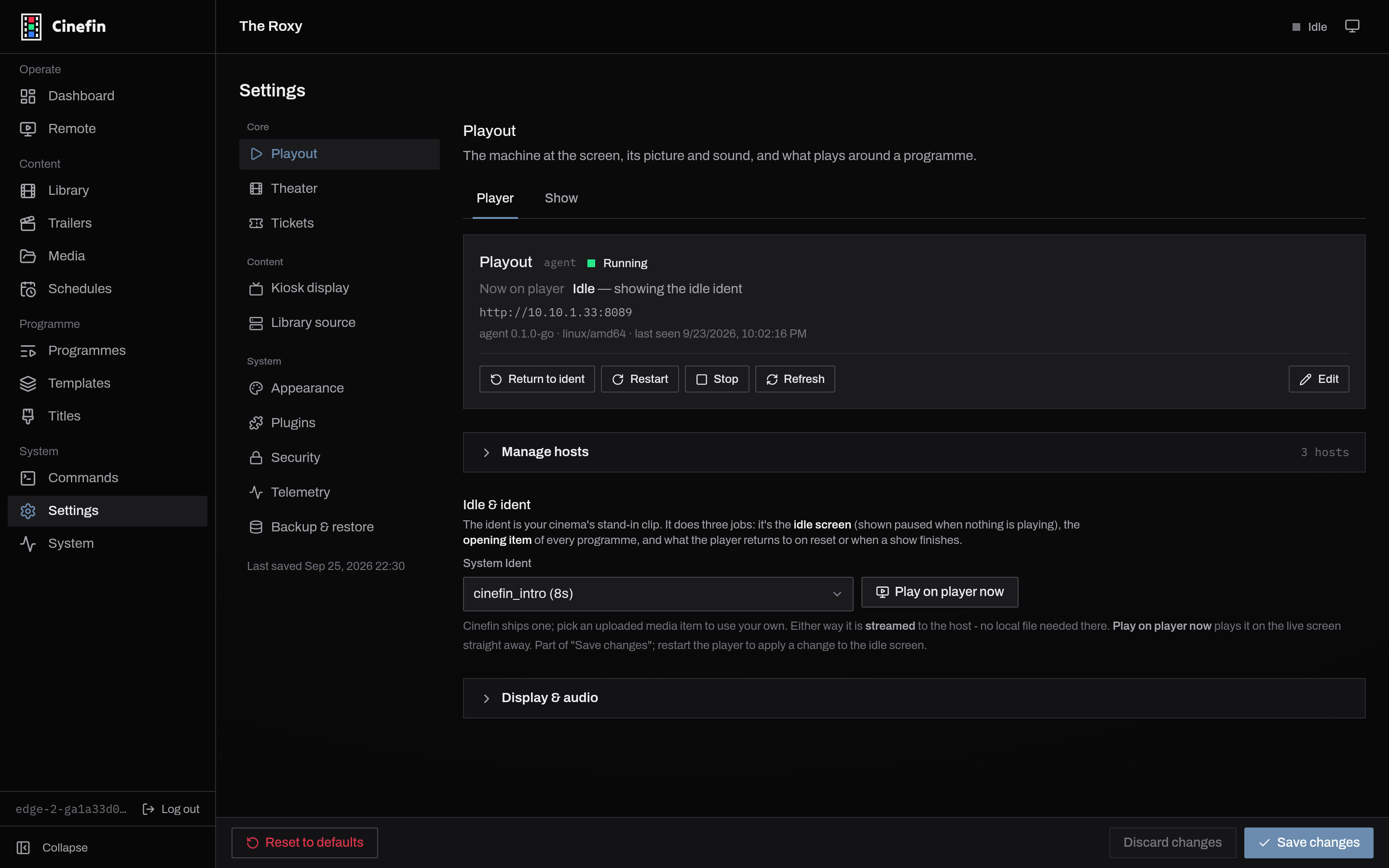
The clip streams from Cinefin to the playout host, so there is no file to copy to the playout machine (see Playback). It saves with the rest of the host's settings; because it is baked into the player's idle state, restart the player to apply a change to the idle screen.
Per host
The System Ident is part of a playout host's configuration, so each host can carry its own. Switch the active host and its ident comes with it, which is handy when a second screen wants different branding.